
Guide
Best coloring apps for adults on iPhone and iPad (2026)
“Best” depends on what you want your hands to do. Coloring apps fall into four kinds, and most people know within a minute which one they enjoy. Here is how they differ, with well-known examples of each.
We make Color the Look, a fashion coloring app, so this guide is not neutral about that one. The descriptions of other apps below are taken from their own App Store listings (US store, October 2026); check the listing for current prices and features before you download.
1. Color by number
Every area has a number and a matching color; you tap until the picture is complete. It is the most relaxing kind because there are no decisions, and the least creative for the same reason. Happy Color, Zen Color, Paint by Number Coloring Game and Colorscapes all work this way.
Choose it if you want to switch your brain off completely.
2. Coloring books with tap-to-fill
You choose the colors; tapping an area fills it cleanly. These apps have large libraries of mandalas, florals, animals and illustrations. Colorfy (tap to color plus brushes) and Recolor (thousands of pages with palettes, gradients and effects) are examples, and Pigment offers both tap-to-fill and freehand coloring.
Choose it if you like picking palettes but not staying inside the lines.
3. Freehand coloring with Apple Pencil
You color with brushes, pencils and markers, inside or outside the lines, like a paper coloring book. Lake (artwork from independent artists, Apple Pencil recommended), Pigment and Tayasui Coloring Book belong here. Procreate is a paid iPad drawing app rather than a coloring book, but many people color imported line art in it.
Choose it if you have an iPad and Apple Pencil and enjoy shading by hand. Our guide to coloring with Apple Pencil covers the details.
4. Fashion coloring
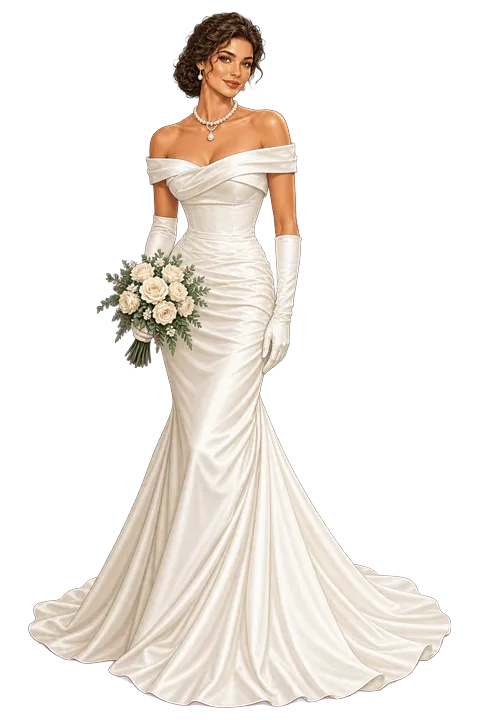
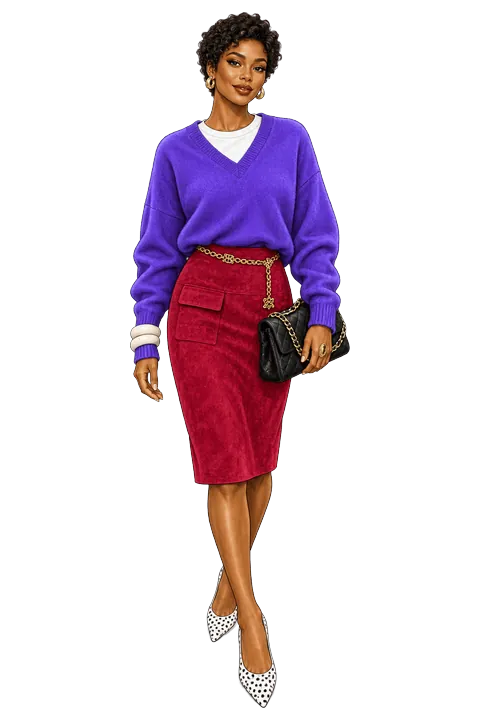
Instead of mandalas or animals, every page is an outfit. Color the Look is a fashion coloring app for iPhone and iPad with 250+ outfit pages in 29 collections. You tap a zone to fill it, then add one of 41 fabric textures (leather, satin, velvet, denim, knit, sequins and more) or 39 patterns, so a flat red becomes a red velvet coat. There is also a manual drawing mode for shading with a finger or Apple Pencil.
Choose it if you love clothes, keep a Pinterest board of outfits, or want to play with style without buying anything.

Quick comparison
- Least effort: color by number.
- Most pages: large tap-to-fill libraries such as Recolor and Colorfy.
- Most like paper: freehand apps such as Lake and Pigment, with Apple Pencil.
- For fashion lovers: Color the Look — outfits, fabric textures and patterns instead of mandalas.
Frequently asked
What is the best coloring app for adults?
It depends on the kind of coloring you enjoy. Color-by-number apps such as Happy Color need no decisions; tap-to-fill coloring books such as Colorfy and Recolor let you choose palettes; freehand apps such as Lake and Pigment work like paper with Apple Pencil; and Color the Look is a fashion coloring app where every page is an outfit with fabric textures.
What is the best coloring app for iPad with Apple Pencil?
Freehand coloring apps such as Lake, Pigment and Tayasui Coloring Book are built around brushes and pencils. Color the Look also supports Apple Pencil on iPad in its manual drawing mode, alongside one-tap fills and fabric textures.
Is there a coloring app that is not color by number?
Yes. Coloring books such as Lake, Pigment, Colorfy and Recolor let you choose your own colors, and Color the Look lets you color fashion illustrations with your own palette, textures and patterns.
Is there a fashion coloring app for adults?
Yes. Color the Look is a fashion coloring book for iPhone and iPad with 250+ outfit pages in 29 collections, including party dresses, wedding gowns, street style, menswear and autumn basics. It is free to download with optional Premium.
