
Collection · 7 looks · boot outfits
The Boots Edit
Polished leather, lacquered stilettos, riding shafts, combat laces, and sculptural moto soles. Eight outfits where the shoe is the starting point and everything above it follows.
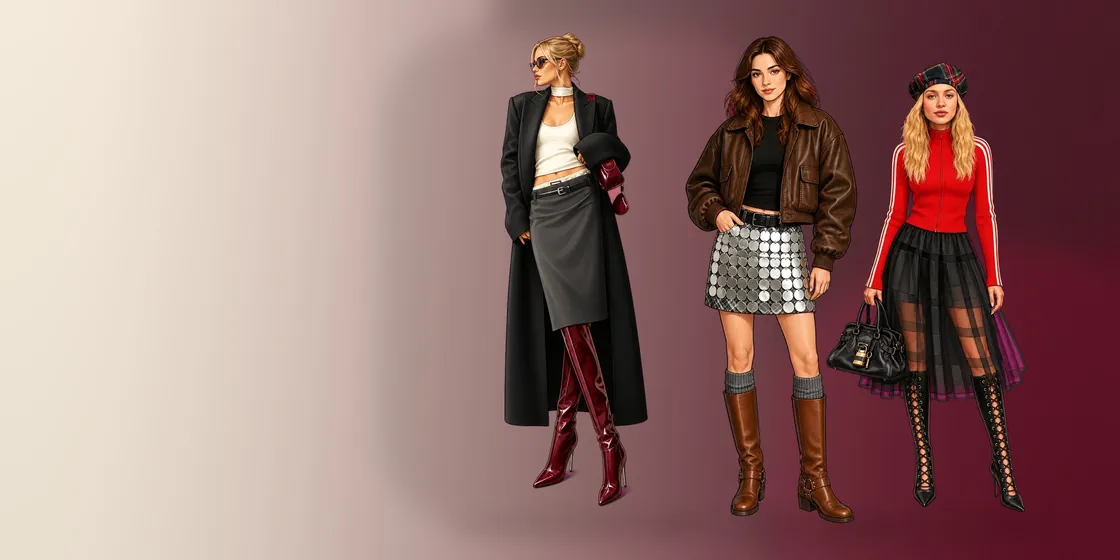
Most outfit pages treat shoes as the last ten percent. This collection reverses the order. Each look is drawn around a different boot shape — tall block heel, stiletto, square toe, riding boot, combat lace-up, ribboned boot, platform moto, buckled boot — and the boot takes up enough of the page that its color decides the mood of the whole outfit.
Black boots under scarlet tights are punk. The same boots in espresso under cream are a weekend in the country. Because laces, buckles and soles are separate zones, you can keep a boot dark and still give the hardware its own metal.
Color The Boots Edit in the app
All 7 looks, in color
Each look opens in the app as blank line art. These are the finished versions — one way to color them, not the only one.
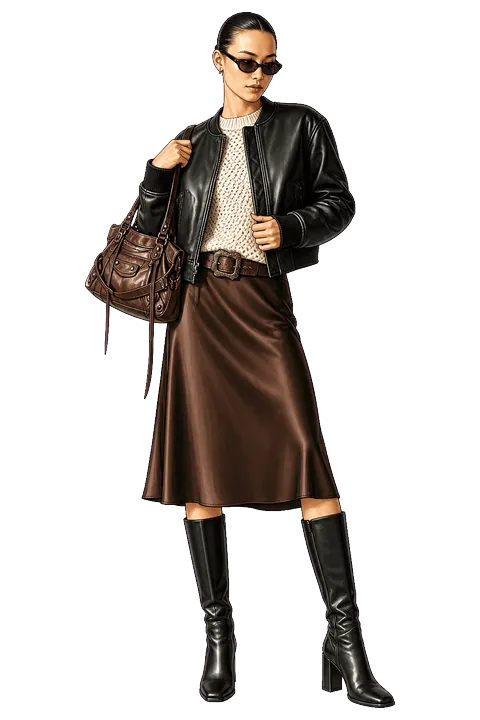
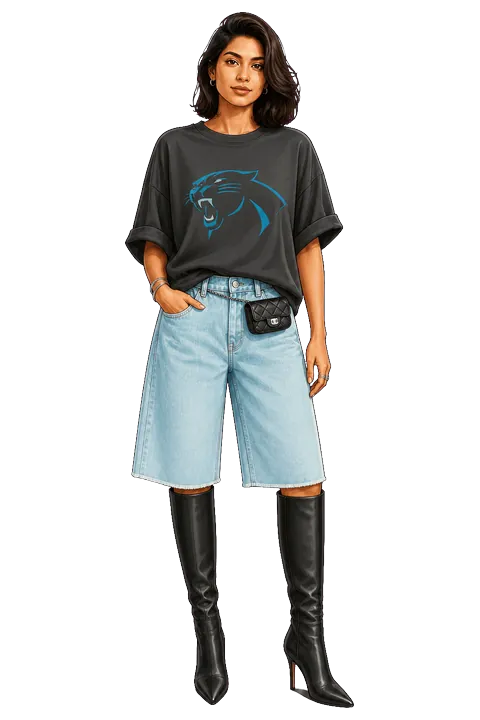
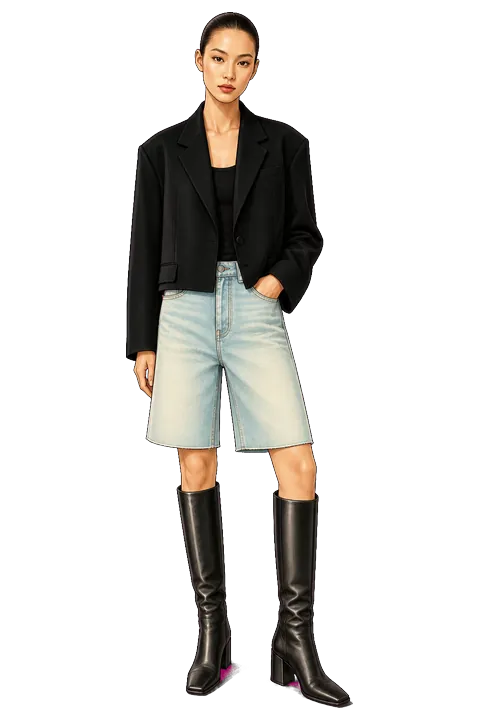
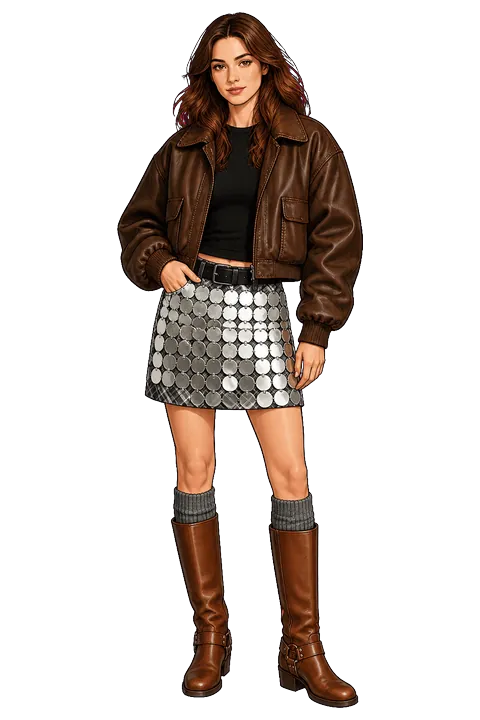
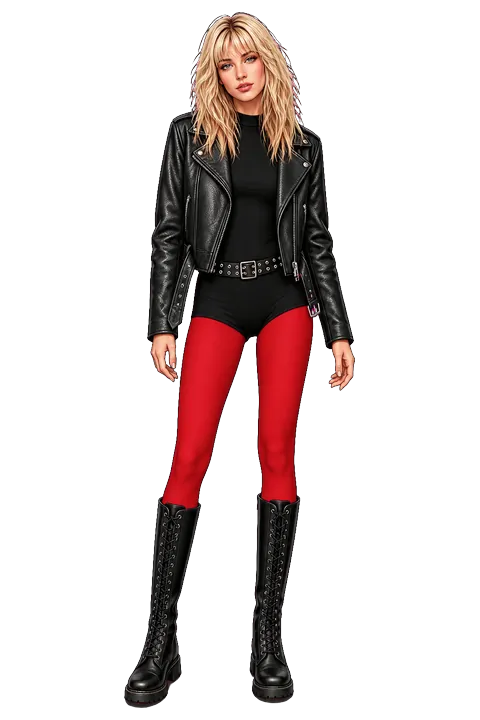
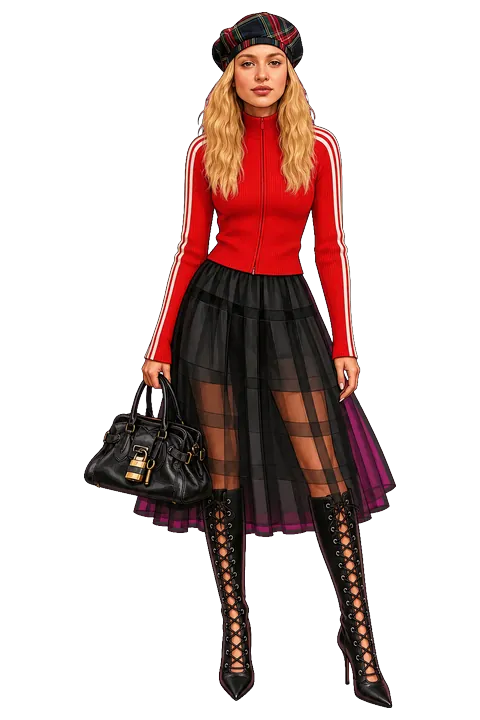
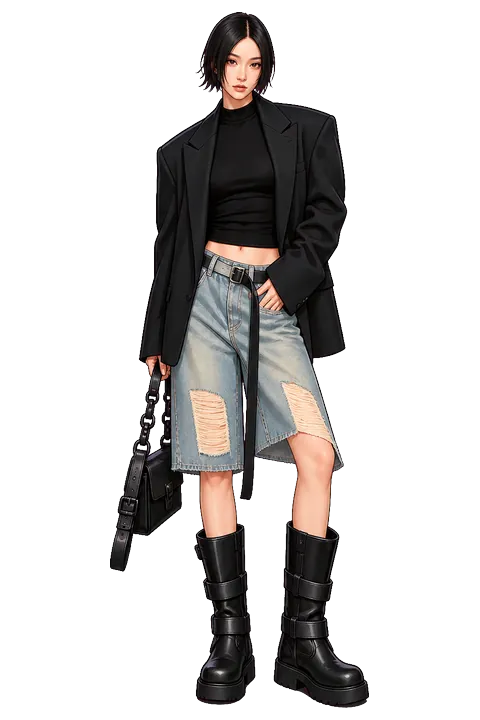
Start with the boot, and remember leather is not one material
Fill the boots first, then build upward. The app has several leathers — smooth, crinkled, embossed, metallic — plus suede, snakeskin and pony hair. Put crinkled leather on a combat boot and smooth leather on the jacket above it and the two blacks stop merging into one shape.
Palette ideas
These are the colorways three of the looks were illustrated in — a place to start before you go your own way.
Chocolate Block
- Ink
- Ivory
- Espresso
- Coffee
- Silver
Black leather, ivory knit, chocolate satin, and tall block heels.
Indigo Bermuda
- Charcoal
- Denim
- Cobalt
- Ink
- Silver
Washed denim and a graphic tee with razor-sharp black boots.
Square-Toe Tailoring
- Ink
- Denim
- White
- Charcoal
- Silver
Cropped tailoring, pale denim, and sculptural square toes.
How you color it in the app
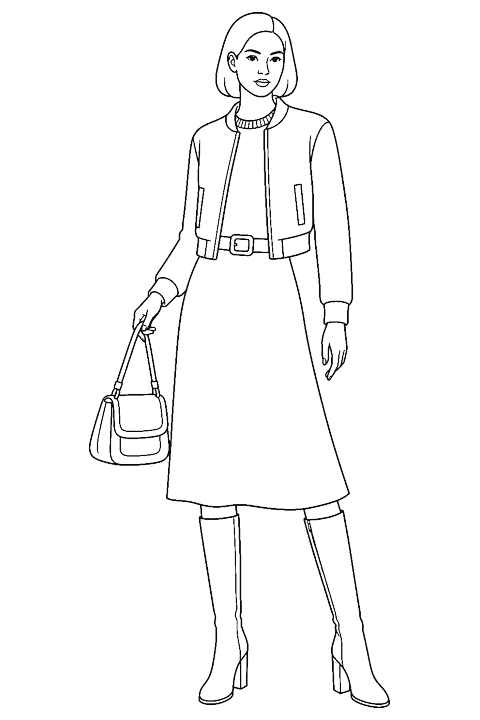
- Open a look. It arrives as clean line art, already divided into zones for each garment and accessory.
- Tap to fill. Pick one of the app's colors and tap a zone; the fill stops at the garment's own edges.
- Add a fabric or a pattern. Choose from 41 fabric textures and 39 patterns and apply them to any filled zone.
- Draw if you want to. A manual drawing tool lets you add shading by hand, with a finger or with Apple Pencil on iPad.
- Save it. The finished outfit goes to your Lookbook, and you can export it to share.
Quick facts
- Collection
- The Boots Edit
- Looks
- 7: Chocolate Block, Indigo Bermuda, Square-Toe Tailoring, Silver Harness, Scarlet Combat, Tartan Lace, Platform Moto
- App
- Color the Look — fashion coloring book for iPhone and iPad (iOS 17 or later)
- Access
- All 7 looks open with Premium; the app's free starter looks are in other collections. Premium is available as a monthly or yearly subscription, or as a one-time Lifetime purchase; prices are shown in the app before you buy.
